Teaching Chanchan reminded me of the impact vlogging can have—not just as a platform to share stories but as a tool to inspire and connect with others. Whether you’re a seasoned YouTuber or a parent looking to nurture your child’s interests, this experience proves that creativity knows no age. If you’re curious to see how a 7-year-old took his first steps into the world of vlogging, don’t forget to watch the full video. It’s a reminder that every great creator starts somewhere—and sometimes, that journey begins with a little guidance and a whole lot of heart.
Video
Vlog
Have you ever wondered what it takes to inspire the next generation of YouTube creators? In today’s sit-down vlog, I had the incredible opportunity to introduce a 7-year-old boy, Chanchan Solis, to the world of vlogging. Chanchan is a bundle of energy and creativity, with a deep admiration for YouTube and dreams of becoming a content creator himself. Recognizing his potential, I decided to guide him through the basics of creating a vlog, allowing him to experience firsthand what it’s like to step in front of the camera and share his unique story with the world.
Chanchan’s enthusiasm was infectious as we began the session. To keep things fun and educational, I started by teaching him how to brainstorm ideas and create content that reflects his interests. This is an essential skill for any vlogger, as authenticity is what truly connects with an audience. From there, we explored the basics of camera confidence, ensuring that Chanchan felt comfortable expressing himself naturally. With a little guidance, he quickly got the hang of it and began sharing his thoughts with a level of enthusiasm that reminded me why I started vlogging in the first place.
Advertisement by Google:
The highlight of the session was seeing Chanchan’s face light up as he viewed his first take on the camera. It wasn’t just about learning to vlog; it was about building confidence, developing communication skills, and tapping into his creative side. As we progressed, I also emphasized the importance of creating family-friendly and kid-appropriate content, ensuring his potential channel would resonate with viewers of all ages. Chanchan’s raw talent and passion for storytelling left me convinced that he has a bright future as a young content creator.
Teaching a Future Content Creator: A 7-Year-Old’s Journey to Vlogging Stardom
Review
Technology
Video
Vlog
Advertisement by Google:
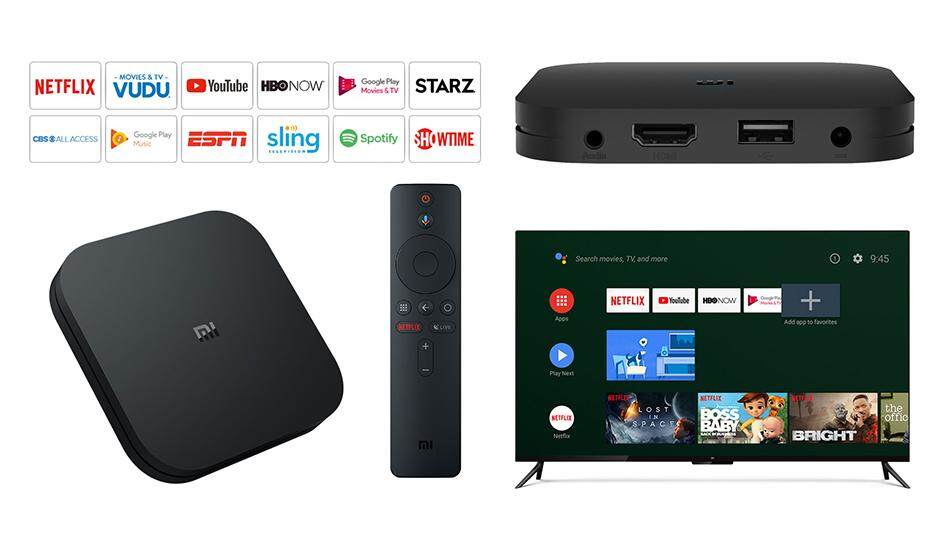
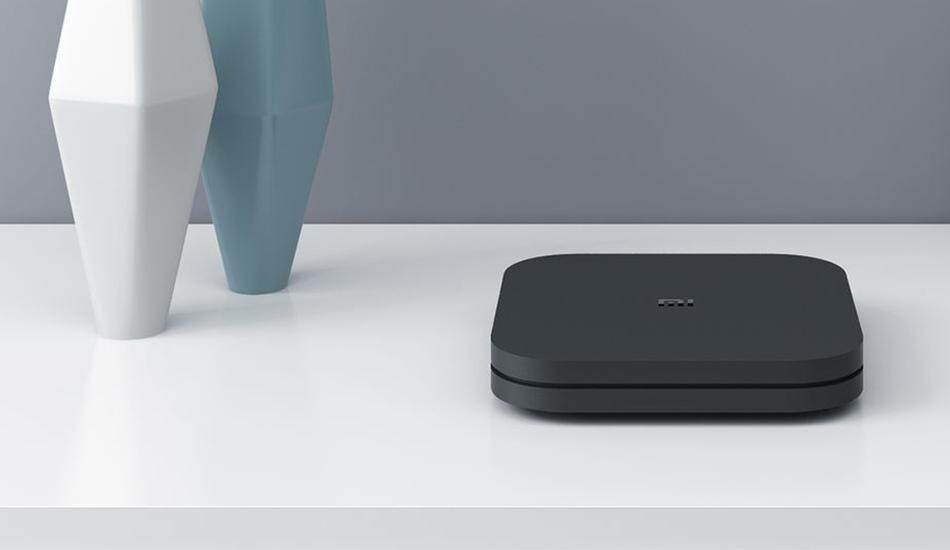
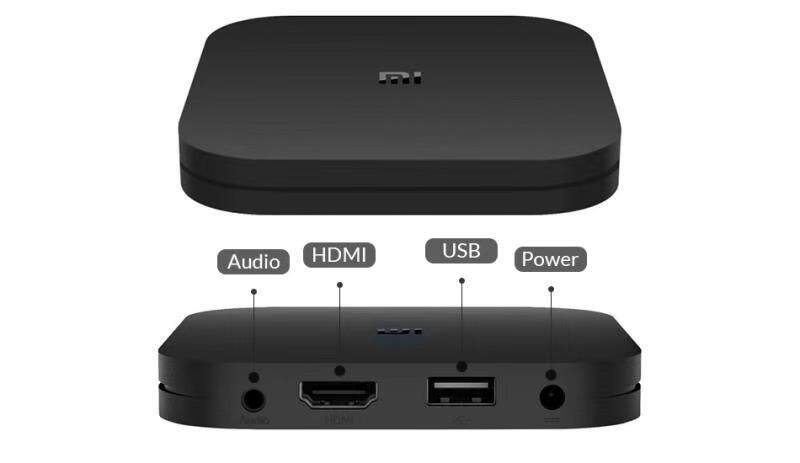
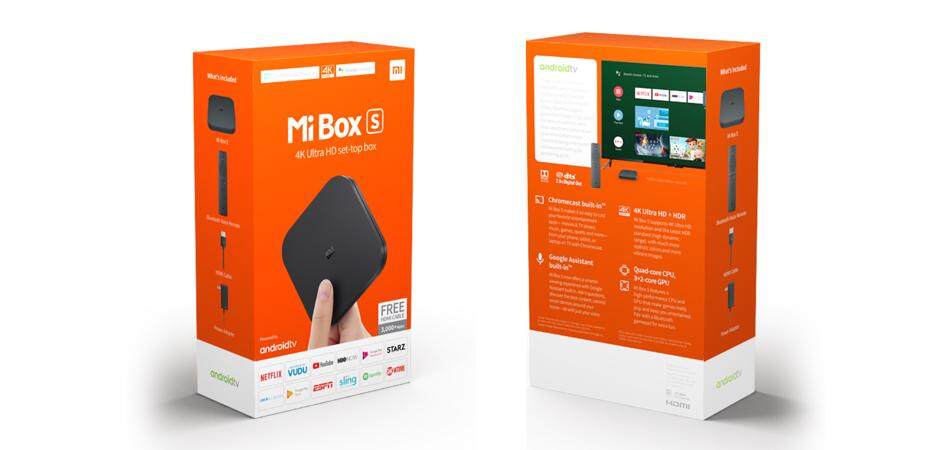
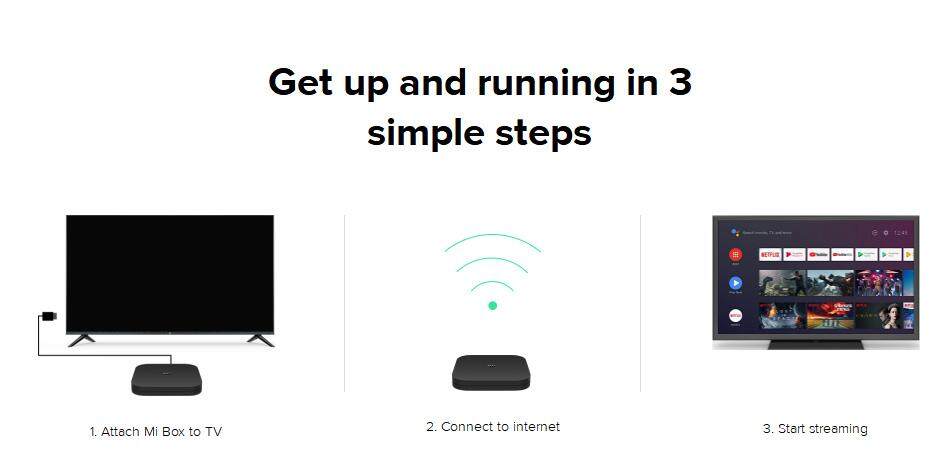
📦 Xiaomi Mi Box S - Amazing Android TV Box with Built-in Chromecast, UltraHD and Google Assistant.
As a birthday gift to myself, I bought another Android TV
Box for my weekend entertainment. I purchased the Xiaomi Mi Box S. I knew that
you guys are aware that I just got the EVPAD 3S last two weeks ago. Yes, but
the highlight of it – just the live TV streaming but the android apps feature is
not actually Google Certified. There is a huge difference between the two.
The Actual Home Menu on my Hisense TV

The Bluetooth Remote is full of simplicity and ergonomics.

OVERALL: ⭐⭐⭐⭐⭐
I must say that - this is the best item that I got for this year 2019 because I can use it every weekend and weekdays streaming videos online - Movies, Series and Vlogs.


Price ⭐⭐⭐⭐⭐
Since I purchased this in their listing at Lazada storefront
– Xiaomi’s Official Store, I only got this item for the amount of PHP 2,090.00
with an additional delivery fee of PHP 50.00. In comparison, it is quite higher
if you’re going to buy at their physical store at malls – it is amounting to
PHP 3,500.00.

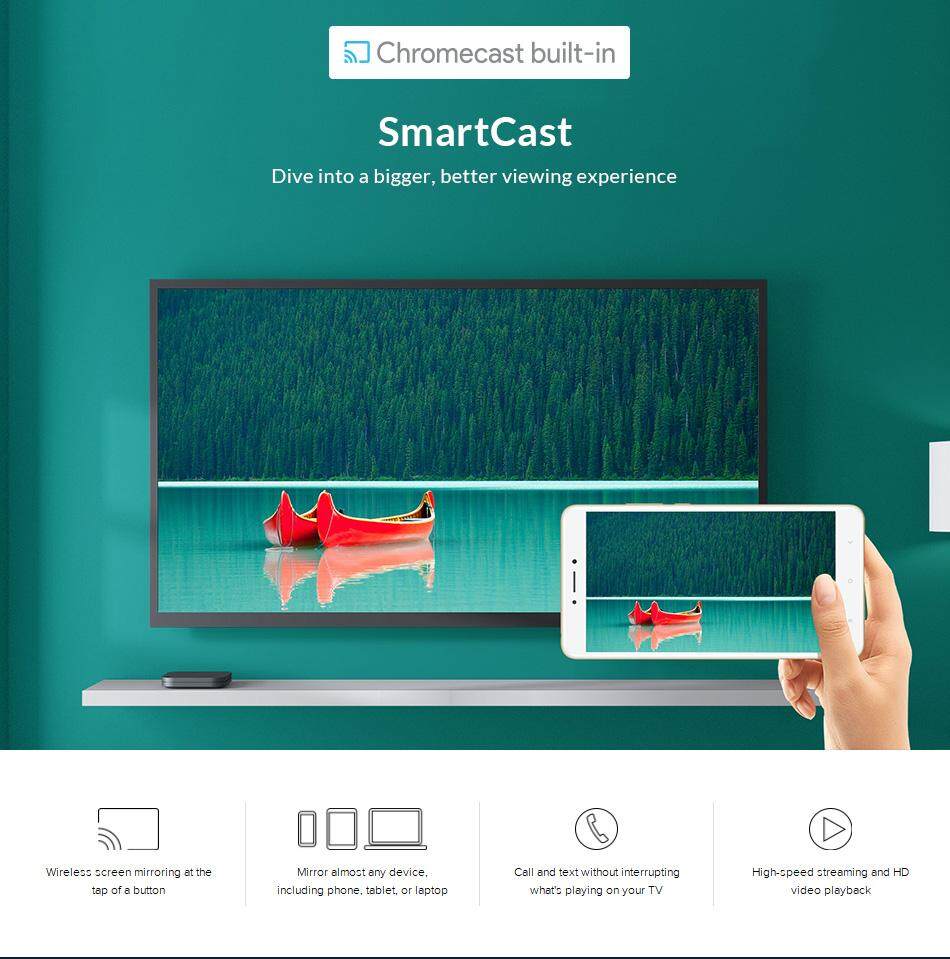
With its feature, Built-in Chromecast; no need for me to buy
a separate Chromecast that is ranging from PHP 5,000 (the original one). I can
easily cast whatever videos from my laptop and phone towards the TV with no
lag.
NETFLIX CERTIFIED: ⭐
Xiaomi Mi Box S is certified by Google, meaning, this product – all games and apps that can be downloaded in google playstore , you
can maximize the full potential of it. In
addition, Mi Box S is claiming that they are Netflix-Certified. This means that
this product can stream 4K (3840 x 2160) UltraHD. We can verify if the product
is a Netflix certified if you can see the 4K wording below the title of the
movie. (See screenshot below).

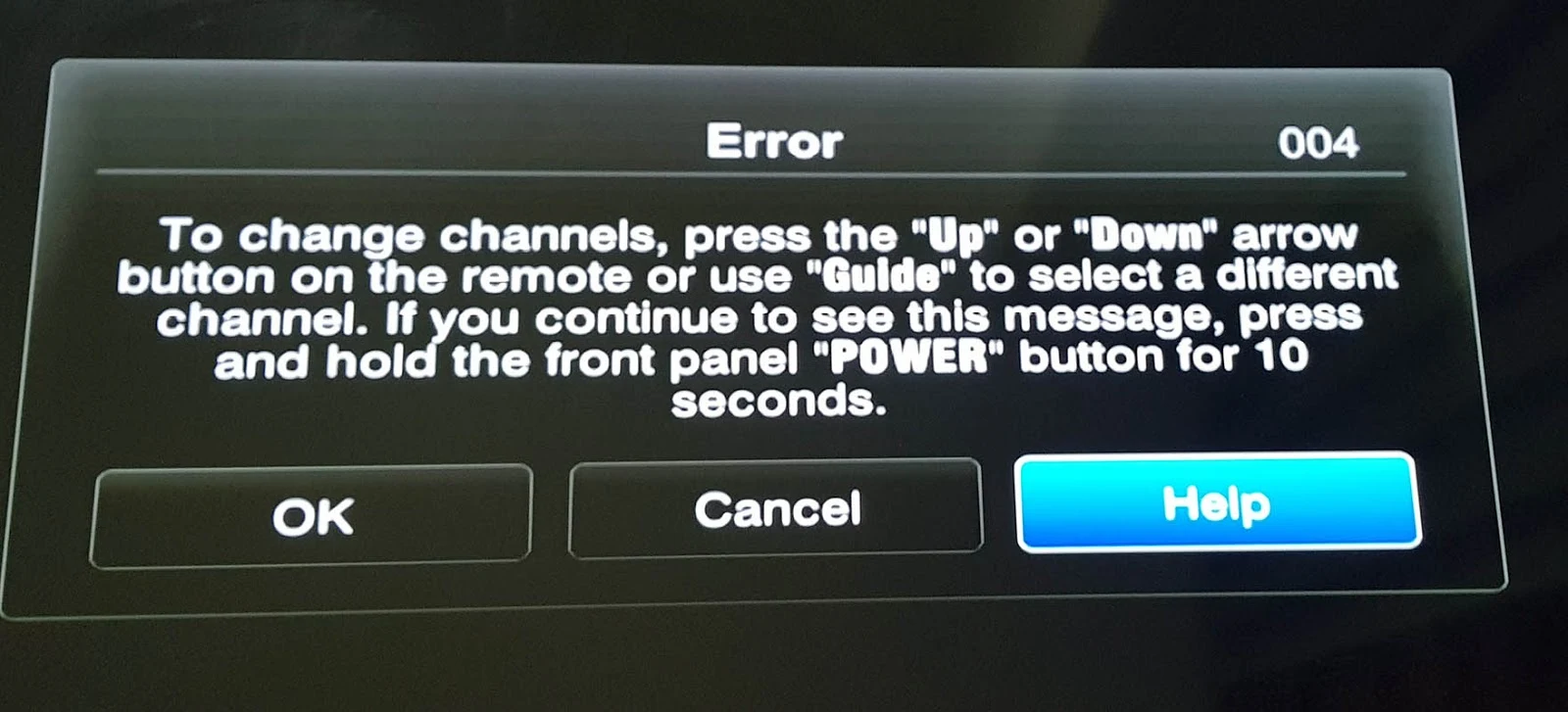
I already checked mine but it is not available. It only
shows HD. I called Netflix Customer Service twice to verify if my gadget -MI
BOX S is a Netflix certified but there is no way for them to verify. Maybe I will just figure this out,
maybe there is a problem with the HDMI cable compatibility. I don’t know! But
it is kinda frustrating as I need to go back my Hisense TV just to stream
UltraHD.
(erratum)- After 30 mins of publishing this blog, I already figured out why it is not streaming 4K. It was because I plugged in the HDMI cable to a wrong HDMI portal.
- Output Resolution: 4K (3840 x 2160)
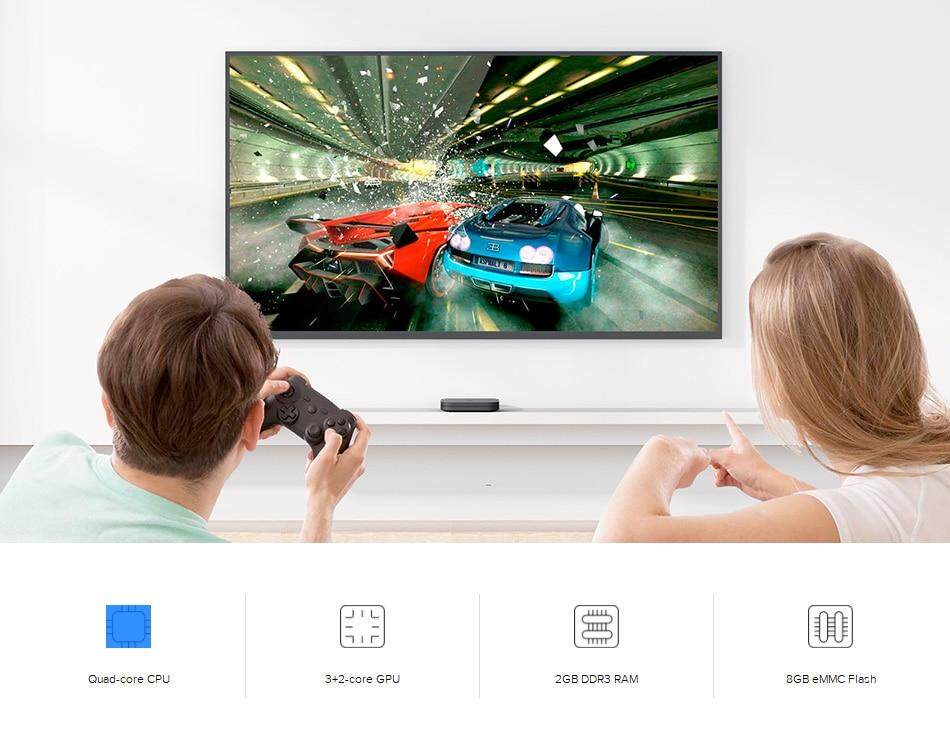
- CPU: Cortex-A53 Quad-core 64bit
- GPU: Mali-450
- RAM: 2GB DDR3
- Storage: 8GB eMMC
- Operating System: Android 8.1
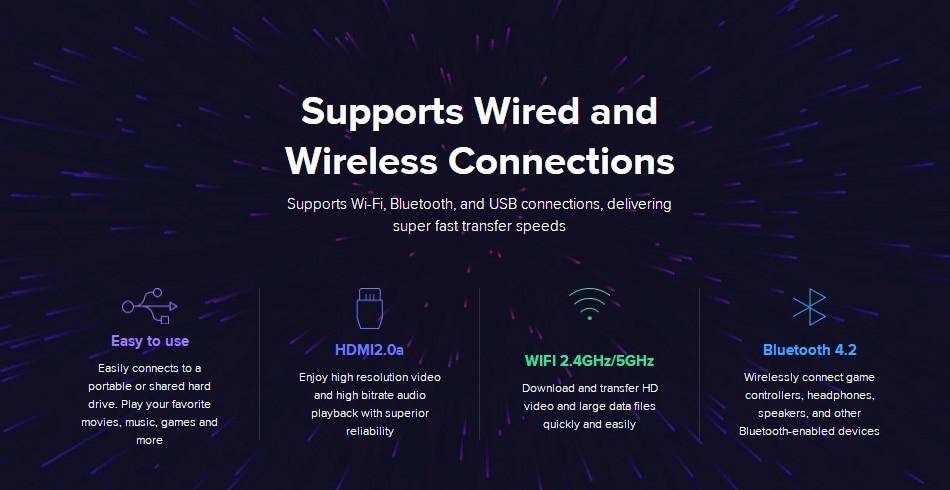
- Wi-Fi: 802.11a/b/g/n/ac 2.4GHz/5GHz
- Bluetooth: 4.2
- Video decoder: 4K@60fps,VP9,H.265,H.264,MPEG1/2/4,VC-1,Real8/9/10
- Video Format: RM,MOV,VOB,AVI,MKV,TS,Mp4,3D
- Audio decoder: DOLBY, DTS
- Audio Format: MP3,APE,Flac
- Image decoder: JPG,BMP,GIF,PNG,TIF
- Support Language: Global


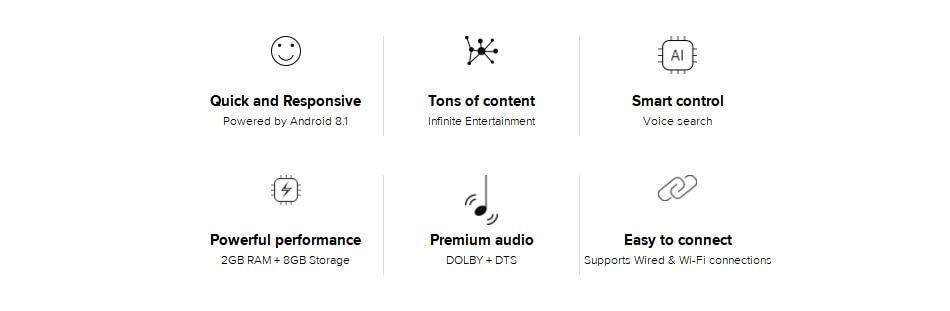
Powered by Android 8.1 for Superior Functionality
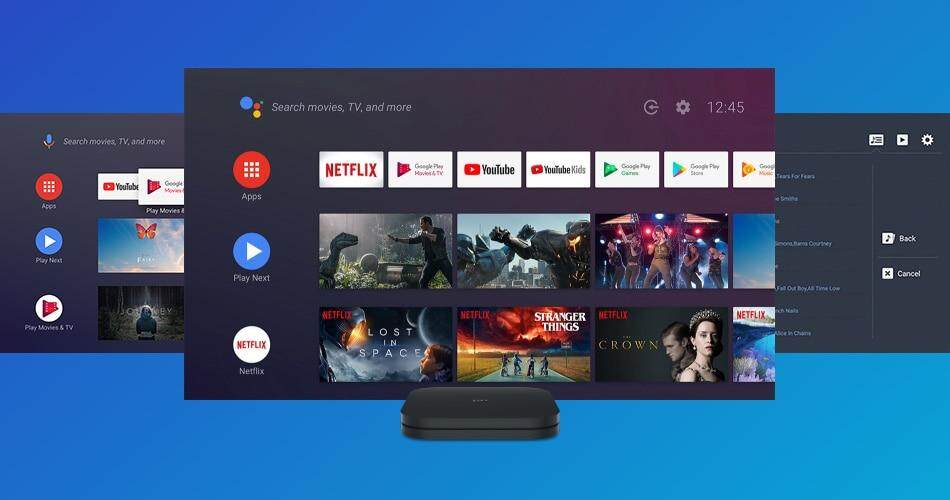
Mi Box S is powered by Android 8.1, easy to use and supports voice search and Chromecast as well as delivering a world of content the whole family can enjoy.


Access Tons of Content
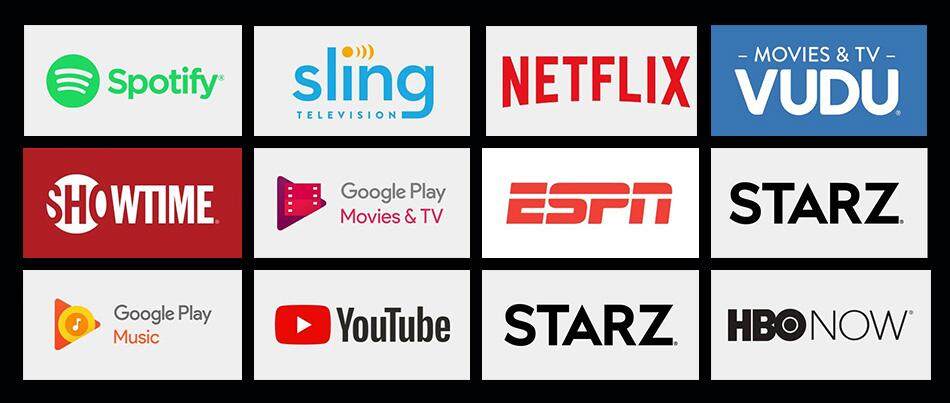
Compatible with thousands of apps, giving you access to tons of premium video services and a constant stream of fresh new content


SmartCast
Dive into a bigger, better viewing experience

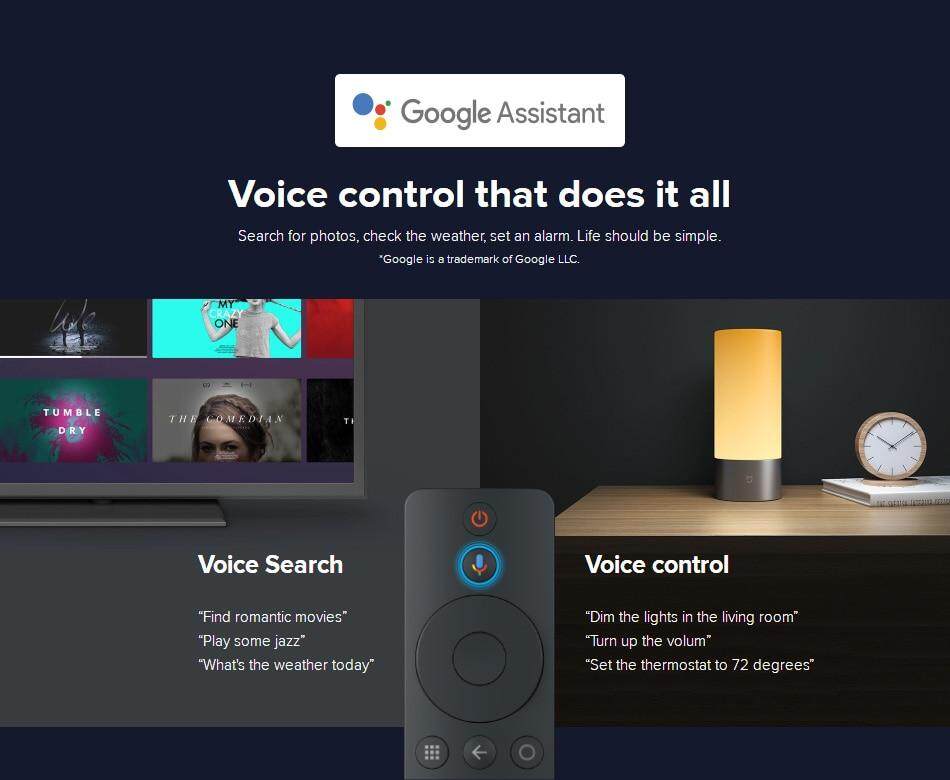
Google Assistant
With the Google Assistant, you can quickly access entertainment, get answers and control devices around your home. Just press the mic button on your remote to get started.
*Google is a trademark of Google LLC.

High Clarity 4K HDR
Features the latest 4K HDR technology and high-speed 4K processing for up to 60fps playback. Enjoy an ultra-high-definition, lifelike viewing experience

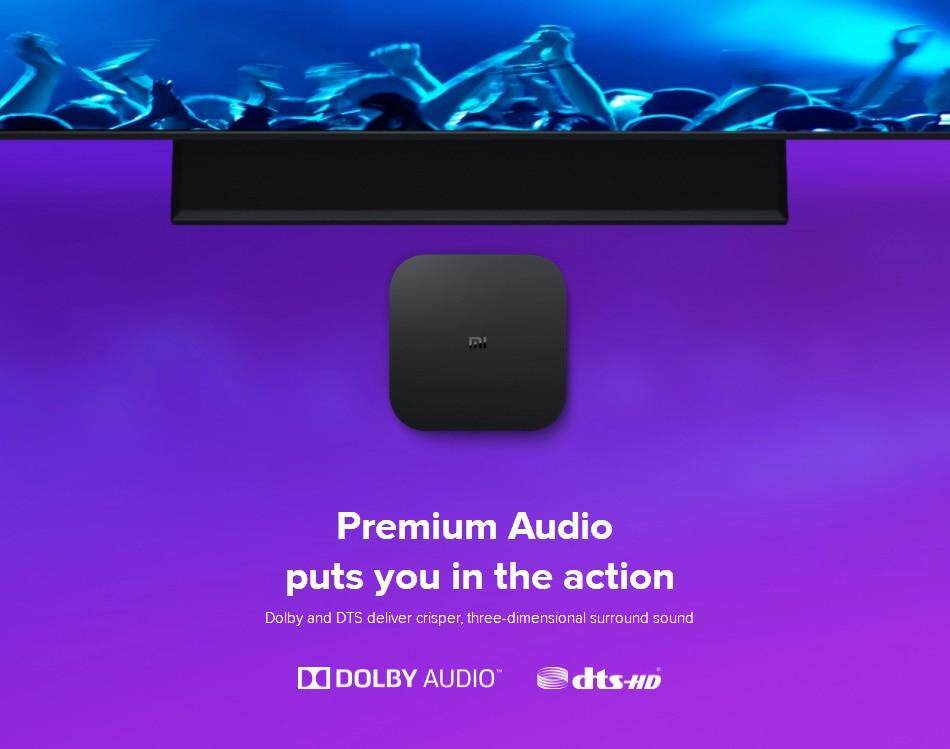
Premium Audio puts you in the action
Dolby and DTS deliver crisper, three-dimensional surround sound


High-Performance Storage Capacity
Install tons of awesome apps, watch extended cuts and play more games while enjoying faster performance and stability

Supports Wired and Wireless Connections.
Supports Wi-Fi, Bluetooth, and USB connections, delivering super-fast transfer speeds.


Personal
Video
Vlog
In this blog, I’m sharing the fun and chaotic experience of my sibling and niece visiting me for the first time at my condo. After a long, hectic workweek, my unit had become a complete mess, with clothes, gadgets, and random things scattered everywhere. With my sibling and niece dropping by, I knew it was the perfect opportunity to declutter and organize my space. But what started as a cleaning mission quickly turned into a heartwarming family bonding moment filled with laughter, catching up, and teamwork.
🎥 FIRST TIME! My Sibling and Niece Visited Me | Decluttering My Messy Condo After Work Week
In this blog, I’m sharing the fun and chaotic experience of my sibling and niece visiting me for the first time at my condo. After a long, hectic workweek, my unit had become a complete mess, with clothes, gadgets, and random things scattered everywhere. With my sibling and niece dropping by, I knew it was the perfect opportunity to declutter and organize my space. But what started as a cleaning mission quickly turned into a heartwarming family bonding moment filled with laughter, catching up, and teamwork.
As we tackled the clutter, the visit turned out to be much more than just tidying up. It was a reminder of how small moments with family can transform everyday tasks into something special. Together, we cleared out the mess and made the space feel fresh again, while also enjoying each other's company. It was a productive and memorable day, showing that decluttering isn’t just about cleaning; it’s about creating space for meaningful moments. #FirstTimeVisit #DeclutterWithMe #SiblingBonding #MessyCondoTour #FamilyTime #CleaningRoutine #BusyWorkWeek
Advertisement by Google:

Review
Technology
Video
Vlog
Spending your hard-earned money on a gadget is such a big decision. Seemingly, you’re choosing what course you want to take on your college – can be failed or victorious at the end. In this blog post of mine, I’ll be providing you some points that will help you to decide if you’re going to purchase this new gadget named EVPad 3S Android IPTV Box. With the amount of PHP 7,200, are you willing to buy this box that will give you free streaming of premium TV channels?
EVPad 3s is a Chinese product that promises to give you lifetime access to your favorite local and international TV channels, movies, and a full experience of android TV. I got the product for free - three days ago August 10, 2019 - but that won’t affect my comprehensive review and I will provide you my honest opinion after three days of using such a box.
In the meantime, let us watch my unboxing video and initial review right on the day that I attached the product:
RATING: ⭐⭐⭐
The CPU has cpu cortex-a53 64 bit, The Cortex-A53 is a mid-tier 64-bit ARMv8-A-ARM core that offers a good balance of energy efficiency (performance/mW) and area efficiency (performance/mm2), which is why it is often found in entry-level SoCs. The GPU has Mali -t720mp2. ROM of 2gb DDR3 and ROM of 8GB EMMC. The USB Portal has 1 for 2.0 which is perfect for Mouse and Keyboard and 1 for 3.0 which is working better for the movie with high resolution to avoid latency.
Advertisement by Google:
📺 Things You Should Know Before Buying EVPAD 3S Android IPTV Box Philippine Edition - My First Hand Experience.

Spending your hard-earned money on a gadget is such a big decision. Seemingly, you’re choosing what course you want to take on your college – can be failed or victorious at the end. In this blog post of mine, I’ll be providing you some points that will help you to decide if you’re going to purchase this new gadget named EVPad 3S Android IPTV Box. With the amount of PHP 7,200, are you willing to buy this box that will give you free streaming of premium TV channels?

EVPad 3s is a Chinese product that promises to give you lifetime access to your favorite local and international TV channels, movies, and a full experience of android TV. I got the product for free - three days ago August 10, 2019 - but that won’t affect my comprehensive review and I will provide you my honest opinion after three days of using such a box.
In the meantime, let us watch my unboxing video and initial review right on the day that I attached the product:
Video of the Unboxing.
What to Expect Inside The Box?
RATING: ⭐⭐⭐

- 1 EVPad 3s Android IPTV Box
- 1 HDMI Chord
- 1 DC Cable
- 1 Adapter
- 1 Charger
- 1 Remote (battery not included, AAA Battery)
- 1 Manual (English and Mandarin)
I was hoping that the IR Extender Cable is also included but unfortunately, you have to buy separately to maximize the IR portal.
(IR) Infrared Extender cable is a little device that lets
the Smart Touch Remote communicate with your cable box or other AV devices. In
other words, you will be able to turn the cable box on and change channels with
the Smart Touch Remote without using your cable remote. In addition, it is a chord that will help you extend the range of the device so that the remote can
be detected. By having this, you can supposedly hide the box behind the TV so
make it look cleaner, and let the edge of IR cable visible in front of the TV –
for remote detection.

I checked the price of IR Extender Cable on Lazada's Website - I was surprised since it is just amounting to PHP 100.00 which is extremely affordable for the EVPAD company not to include it on the box. Well, I will just but one, since I wanted the box hidden behind the TV to make it visually immaculate.

Specification
RATING: ⭐⭐⭐
The CPU has cpu cortex-a53 64 bit, The Cortex-A53 is a mid-tier 64-bit ARMv8-A-ARM core that offers a good balance of energy efficiency (performance/mW) and area efficiency (performance/mm2), which is why it is often found in entry-level SoCs. The GPU has Mali -t720mp2. ROM of 2gb DDR3 and ROM of 8GB EMMC. The USB Portal has 1 for 2.0 which is perfect for Mouse and Keyboard and 1 for 3.0 which is working better for the movie with high resolution to avoid latency.
Moreover, for Bluetooth, is a 4 .2 version. Bluetooth 4.2 is an important update to the Bluetooth Core Specification with many new features and benefits designed specifically for Bluetooth Smart technology, and advantages when comparing Bluetooth 4.2 vs. Bluetooth 4.1 (also known as Bluetooth Low Energy or Bluetooth Smart)- more power-efficient and highly secure features, BLE 4.2 provides additional benefits allowing only trusted owners to track device location and confidently pair devices.
WIFI is 2.4 GHz which for me, I am reluctant to use since I hated latency and so I decided to use Ethernet Connection instead. 2.4 GHz is actually working good but sorry I want a more stable WIFI Chip. The primary differences between the 2.4 GHz and 5GHz wireless frequencies are range and bandwidth. 5GHz provides faster data rates at a shorter distance, whereas 2.4GHz offers coverage for farther distances, but may perform at slower speeds.
The Direct Current, I haven't tried if it will work - if connected directly to my TV via USB portal because I am trying to make sure that everything behind my TV is clean. For now, as of writing - I used a socket as a source but next time - I will update you guys. Just follow my Youtube Channel.
Android version 7.0 is the Operating System that is actually good, as there is an application in Google Playstore that is no longer working on the old version. 7.0 version is the Android "Nougat" - the seventh major version and 14th original version of the Android operating system. First released as an alpha test version on March 9, 2016. It has the ability to display multiple apps on-screen at once in a split-screen view but not sure if I can maximize this in Android TV since it has a different interface versus the phone version. Maybe, I will try to use a mouse and will explore moving forward - but not sure what to expect (or might as well, I just buy Samsung Dex for my Samsung S8 Plus, T*ngina Gastos na naman )
RATING: ⭐⭐⭐⭐
I really like the design because it is ergonomic - designed for efficiency and comfort in the working environment, especially in my condo where-in I combined my working station/Desk and Entertainment Area. I also love the fact that it can be easily attached to walls since there is the provision of two small holes at the back. However, I am not sure if the double-sided tape will work when attaching on both the wall or TV because it has a matt finish on the back of it. But, if you only put that on your table or rocks, it will work perfectly as there are four rubberized stoppers to avoid slipperiness.
Well, as of now, I am still reluctant if I'm gonna hide it behind my TV - because of the design and color combination which harmonized my theme. The mix of black and red - it reminds me of Youtube LOGO, it gives a feeling - seemingly part of the whole design on my YOUTUBE SET UP.
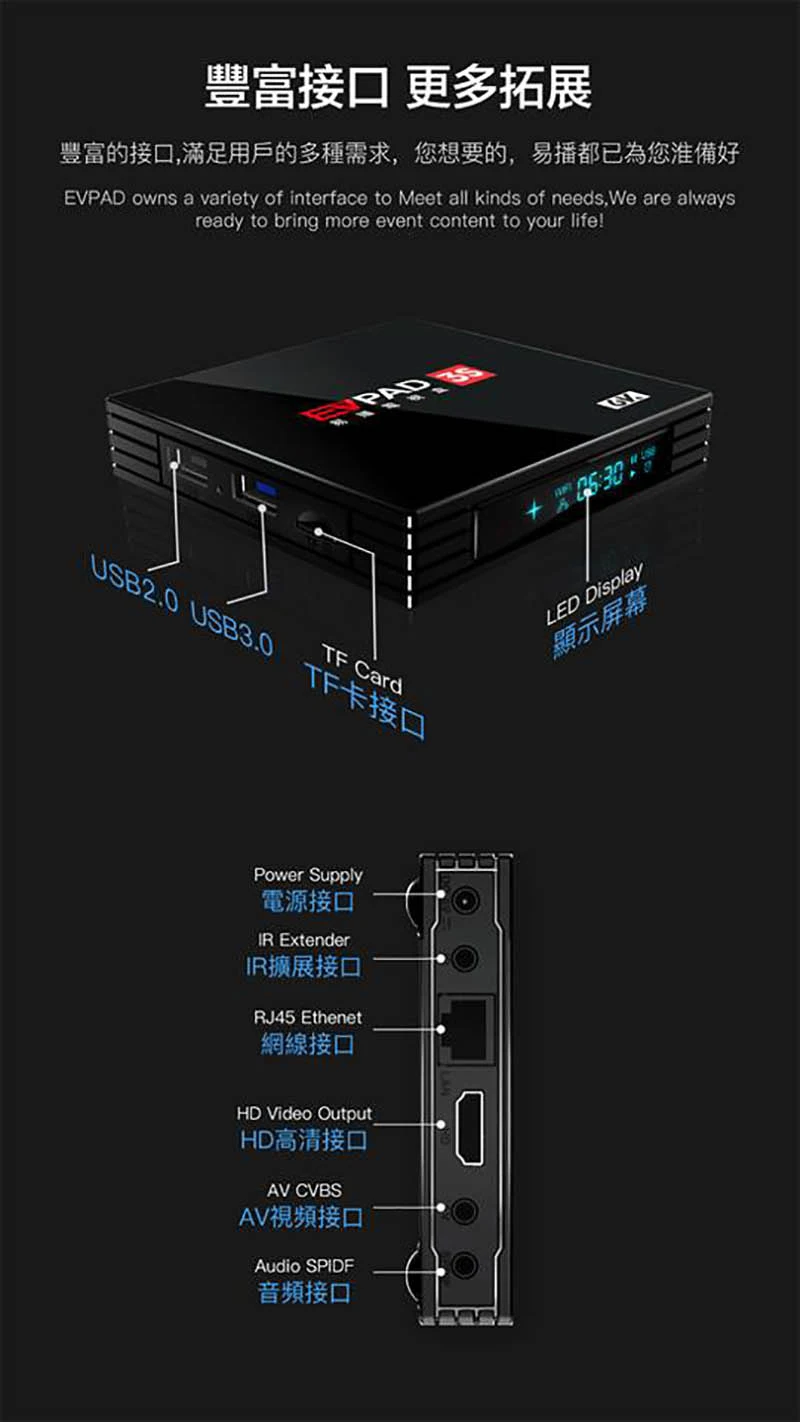
The Android Box has an LED Display which shows the military time, WIFI or Ethernet Status - and surely the IR sensor is also on it. Again, as mentioned above, it has two USB Portals for 2.0 and 2.3. It has also a TF card plug-in. On another side, it has a power supply plugin, IR Extender, Ethernet Port, HDMI, Audio Video, and SPIDF for the sound amplifier.
The portability is really amazing, you can even bring it to your friend's house if planning for a movie marathon.
RATING: ⭐⭐⭐⭐⭐ LOVE THE SOUND
I am not a sound engineer but I can say that the sound is actually good. It supports, Dolby Digital Audio Coding 3 which AC3 is a file extension for surround sound audio files used on DVDs format. The AC3 file format was created by Dolby Labs for use in a Dolby Digital audio on DVD, Blu-ray and other digital video formats.
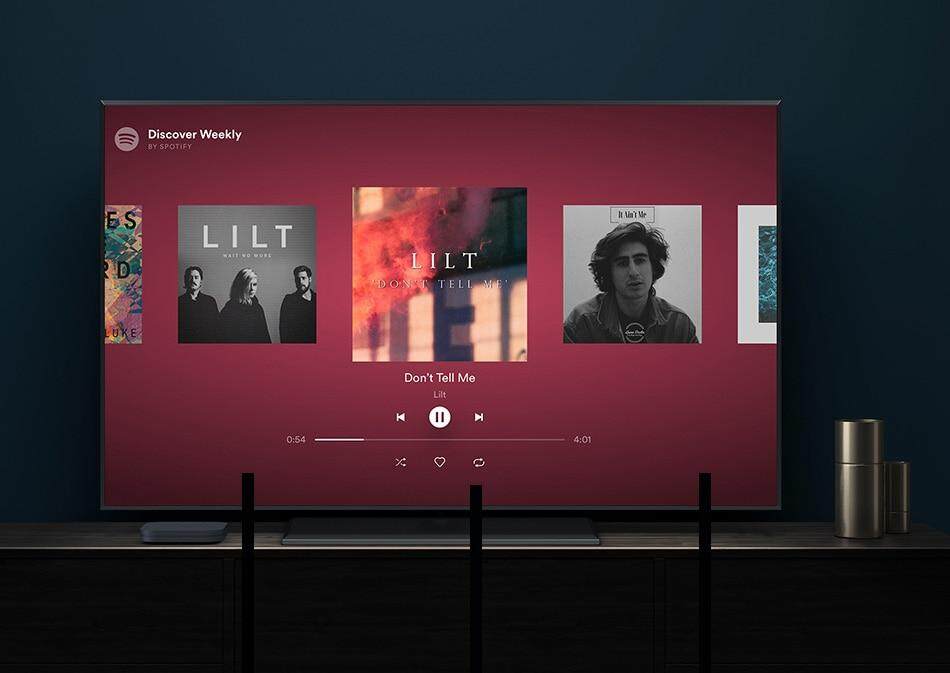
The full potential of Dolby Digital Audio Coding 3, just to make it clear to you guys, is not applicable when streaming Live TV and Movies provided by EVPAD's server since the stream quality and movies they had on their streaming server is honestly poor. But when you play a video, movie, or music from your USB or any storage, you can really appreciate the quality of the audio. I tried Spotify, and it is totally perfect - the right speaker is the voice of the singer and the right speaker is for the instrument. The same thing with Netflix or any movie streaming apps installed from Playstore - your surround effect is noticeable and audible enough.
Undeniably, the box supports Dolby Digital Audio Coding 3 but still depending on your inputs, if you play video and audio that has Audio Coding 3 - you can really notice the surround effect.
RATING: ⭐ , 👎👎👎👎👎
Both on the Box and on the Android Item, they highlighted the 6K Resolution which is very questionable since I am not really familiar with what 6K Resolution they pertained to. Number 1, the GPU and CPU capacity on the said gadget is not actually proportioned for a 6K Resolution to play a smooth output with no latency. Number 2, based on my knowledge - there is no such 6K as of the time being both TV and Video, not even a broadcast (correct me if I am wrong).
You may refer to the picture below for the available Resolutions in the market: (FOR BETTER UNDERSTANDING OF RESOLUTIONS CLICK HERE)
MENU

Turning On the Gadget via remote, you will automatically see the logo of EVPAD 3S, the transition is smooth as the welcome logo has a blue background and has a pleasing effect. After the welcome window, it will redirect you to the language option to choose from (which can be changed under setting if you're changing it later).
I was selecting Tagalog which I found difficult to navigate. I am a Filipino but the Terms for Technology in Tagalog is not actually the same interpretation in English which is difficult to understand. This happened a lot of times since the Philippines is an English Speaking Country and the default language that we used in our gadgets is English, so better never try to set up Filipino on set.
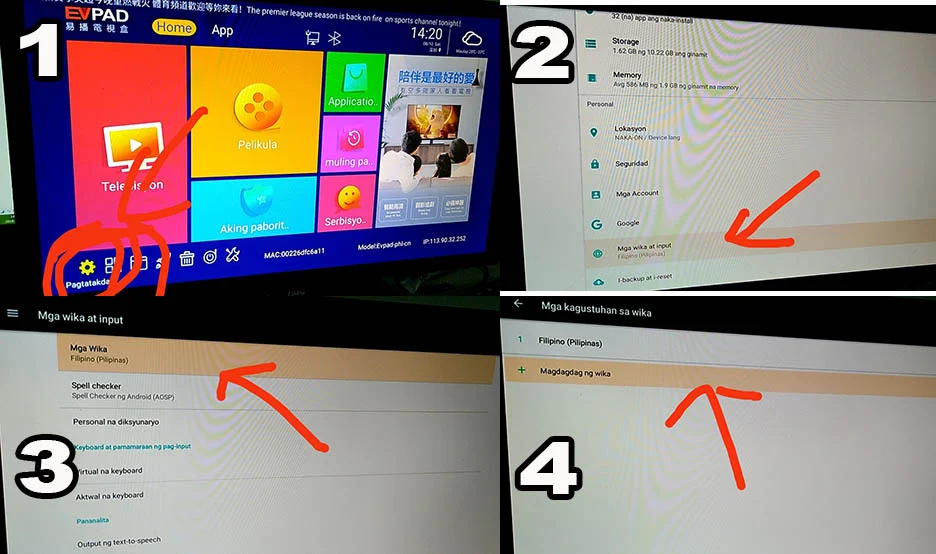
I was having a hard time changing from Filipino to English and so I chatted on the EVPAD 3S Facebook Page and they assisted me right away. That can be fixed under the setting in Android Setting.
The screenshot Below was Sent To Me :
There are Four Major Features on this gadget that I find essentials which made us buy decide why to buy this item named - The HDTV, VOD, PLAYBACK, and ANDROID APPS. Now, Let me review it one by one - and an in-depth explanation on it.
The HDTV feature is an application named MarsLiveSuper Version 20190719 where-in you can access the list of the Live TV and Free Channel streaming real-time. This is an app just like KODI wherein you can install the repository for streaming movies that are hosted from a server (it can be a website, or hosting site). This technology built-in was available only in this box.
As of August 12, 2019, as of writing - they have fourteen categories available on listing based on country and kinds of content. It has the US and CA, Hongkong, China, Taiwan, Philippines, Indonesia, Japan, Korea, India Channels. It has categories for Sports, Kids, Movies, and Documentaries. You can also save your favorite channel from those listings by adding it to the "Collection" Category.
The VOD or Video on Demand is an app running on MARS PLAYBACK where you can play the stored movies on their server. They also categorized it based on kinds of content - Drama, Movie, Variety, Children, Sport, and Anime. The majority of the movies stored are Asian Movies and only a few English Movies available.
The Playback is a feature where-in they store the recorded shows for the most recent broadcasted shows on selected channels from the fourteen categories that I've listed above. The capacity of storage is 24 Hours in the past seven days. You can go back and watch recorded shows that you've missed.
PlayStore App, since this gadget runs android nougat, you can access all the privileges of an android user via the google app store. Just make sure that the app that you're going to install is ANDROID TV compatible, for example, The IWANTV app is available on android mobile for vertical interface only but if installed in Android Box, it won't work as it is not Android TV compatible.
There was an inquiry about - what if they scramble the channel. Will this is also a question in my mind, how long they're gonna serve the streaming for a specific channel.

Since I can only read and understand in English, I will give you the Channel Listing under the US and CA and, the Philippines. In Addition, I will show you the Movies on VOD and the recorded shows that can playback
(Video Below) Listing as of 8/12/2019.
Undeniably, with EVPAD 3S - you only pay one time and you don't need to pay a subscription for access to premium channels via CABLE and alikes. With this box, connected to your TV and with at least 2mbps internet connection - you can now enjoy the premium channels that I've mentioned in the video above.
The problem with this; the maintenance of the server of EVPAD 3s must be monitored, to avoid latency, and also they need to fix it in a timely manner the channel if something wrong happened. I believe, as a consumer, we wanted to spend our blood money on a product that can satisfy our expectation. In comparison for a PHP 7,000 money versus a monthly subscription to cable networks - there are things that we need to consider. EVPAD 3s promised to serve for life, but how long?
Let us also consider the fact that the 7,000 pesos. It is not just the product itself. And EVPAD 3s also need to provide maintenance to stream the channel that they promise the so-called "FOR LIFE".
The Direct Current, I haven't tried if it will work - if connected directly to my TV via USB portal because I am trying to make sure that everything behind my TV is clean. For now, as of writing - I used a socket as a source but next time - I will update you guys. Just follow my Youtube Channel.
Android version 7.0 is the Operating System that is actually good, as there is an application in Google Playstore that is no longer working on the old version. 7.0 version is the Android "Nougat" - the seventh major version and 14th original version of the Android operating system. First released as an alpha test version on March 9, 2016. It has the ability to display multiple apps on-screen at once in a split-screen view but not sure if I can maximize this in Android TV since it has a different interface versus the phone version. Maybe, I will try to use a mouse and will explore moving forward - but not sure what to expect (or might as well, I just buy Samsung Dex for my Samsung S8 Plus, T*ngina Gastos na naman )
The Android Box ItSelf.
RATING: ⭐⭐⭐⭐

I really like the design because it is ergonomic - designed for efficiency and comfort in the working environment, especially in my condo where-in I combined my working station/Desk and Entertainment Area. I also love the fact that it can be easily attached to walls since there is the provision of two small holes at the back. However, I am not sure if the double-sided tape will work when attaching on both the wall or TV because it has a matt finish on the back of it. But, if you only put that on your table or rocks, it will work perfectly as there are four rubberized stoppers to avoid slipperiness.
Well, as of now, I am still reluctant if I'm gonna hide it behind my TV - because of the design and color combination which harmonized my theme. The mix of black and red - it reminds me of Youtube LOGO, it gives a feeling - seemingly part of the whole design on my YOUTUBE SET UP.

The Android Box has an LED Display which shows the military time, WIFI or Ethernet Status - and surely the IR sensor is also on it. Again, as mentioned above, it has two USB Portals for 2.0 and 2.3. It has also a TF card plug-in. On another side, it has a power supply plugin, IR Extender, Ethernet Port, HDMI, Audio Video, and SPIDF for the sound amplifier.

The portability is really amazing, you can even bring it to your friend's house if planning for a movie marathon.
Sound Quality.
RATING: ⭐⭐⭐⭐⭐ LOVE THE SOUND
I am not a sound engineer but I can say that the sound is actually good. It supports, Dolby Digital Audio Coding 3 which AC3 is a file extension for surround sound audio files used on DVDs format. The AC3 file format was created by Dolby Labs for use in a Dolby Digital audio on DVD, Blu-ray and other digital video formats.
The full potential of Dolby Digital Audio Coding 3, just to make it clear to you guys, is not applicable when streaming Live TV and Movies provided by EVPAD's server since the stream quality and movies they had on their streaming server is honestly poor. But when you play a video, movie, or music from your USB or any storage, you can really appreciate the quality of the audio. I tried Spotify, and it is totally perfect - the right speaker is the voice of the singer and the right speaker is for the instrument. The same thing with Netflix or any movie streaming apps installed from Playstore - your surround effect is noticeable and audible enough.
Undeniably, the box supports Dolby Digital Audio Coding 3 but still depending on your inputs, if you play video and audio that has Audio Coding 3 - you can really notice the surround effect.

6K Resolution.
RATING: ⭐ , 👎👎👎👎👎
Both on the Box and on the Android Item, they highlighted the 6K Resolution which is very questionable since I am not really familiar with what 6K Resolution they pertained to. Number 1, the GPU and CPU capacity on the said gadget is not actually proportioned for a 6K Resolution to play a smooth output with no latency. Number 2, based on my knowledge - there is no such 6K as of the time being both TV and Video, not even a broadcast (correct me if I am wrong).
You may refer to the picture below for the available Resolutions in the market: (FOR BETTER UNDERSTANDING OF RESOLUTIONS CLICK HERE)

IN-DEPTH REVIEW
MENU

Turning On the Gadget via remote, you will automatically see the logo of EVPAD 3S, the transition is smooth as the welcome logo has a blue background and has a pleasing effect. After the welcome window, it will redirect you to the language option to choose from (which can be changed under setting if you're changing it later).
I was selecting Tagalog which I found difficult to navigate. I am a Filipino but the Terms for Technology in Tagalog is not actually the same interpretation in English which is difficult to understand. This happened a lot of times since the Philippines is an English Speaking Country and the default language that we used in our gadgets is English, so better never try to set up Filipino on set.
I was having a hard time changing from Filipino to English and so I chatted on the EVPAD 3S Facebook Page and they assisted me right away. That can be fixed under the setting in Android Setting.
The screenshot Below was Sent To Me :

The Menu itself is straightforward. By using the remote, I can feel the ease of use. But one thing that I was disappointed is the Chinese Character visible on it. There is English yet since I would suggest if they only use English as this edition is for the Philippines, solely. I found it annoying, to be honest, I was thinking that I might be the only one who felt it but after uploading my unboxing and initial review - one of my supporters commented about the Chinese Language.

The HDTV feature is an application named MarsLiveSuper Version 20190719 where-in you can access the list of the Live TV and Free Channel streaming real-time. This is an app just like KODI wherein you can install the repository for streaming movies that are hosted from a server (it can be a website, or hosting site). This technology built-in was available only in this box.
As of August 12, 2019, as of writing - they have fourteen categories available on listing based on country and kinds of content. It has the US and CA, Hongkong, China, Taiwan, Philippines, Indonesia, Japan, Korea, India Channels. It has categories for Sports, Kids, Movies, and Documentaries. You can also save your favorite channel from those listings by adding it to the "Collection" Category.
The VOD or Video on Demand is an app running on MARS PLAYBACK where you can play the stored movies on their server. They also categorized it based on kinds of content - Drama, Movie, Variety, Children, Sport, and Anime. The majority of the movies stored are Asian Movies and only a few English Movies available.
The Playback is a feature where-in they store the recorded shows for the most recent broadcasted shows on selected channels from the fourteen categories that I've listed above. The capacity of storage is 24 Hours in the past seven days. You can go back and watch recorded shows that you've missed.
PlayStore App, since this gadget runs android nougat, you can access all the privileges of an android user via the google app store. Just make sure that the app that you're going to install is ANDROID TV compatible, for example, The IWANTV app is available on android mobile for vertical interface only but if installed in Android Box, it won't work as it is not Android TV compatible.
There was an inquiry about - what if they scramble the channel. Will this is also a question in my mind, how long they're gonna serve the streaming for a specific channel.


Since I can only read and understand in English, I will give you the Channel Listing under the US and CA and, the Philippines. In Addition, I will show you the Movies on VOD and the recorded shows that can playback
Free Channel Available.
(Video Below) Listing as of 8/12/2019.
Final Opinion.
Undeniably, with EVPAD 3S - you only pay one time and you don't need to pay a subscription for access to premium channels via CABLE and alikes. With this box, connected to your TV and with at least 2mbps internet connection - you can now enjoy the premium channels that I've mentioned in the video above.
The problem with this; the maintenance of the server of EVPAD 3s must be monitored, to avoid latency, and also they need to fix it in a timely manner the channel if something wrong happened. I believe, as a consumer, we wanted to spend our blood money on a product that can satisfy our expectation. In comparison for a PHP 7,000 money versus a monthly subscription to cable networks - there are things that we need to consider. EVPAD 3s promised to serve for life, but how long?
Let us also consider the fact that the 7,000 pesos. It is not just the product itself. And EVPAD 3s also need to provide maintenance to stream the channel that they promise the so-called "FOR LIFE".

How to Buy?
Nico WeChat: Nico190325
Whatsapp:00852 68895427
Customer service:
WeChat: IEVPAD2
Line: @ievpad
WhatsApp: 00852 5762 7573
FACEBOOK: https://www.facebook.com/evpadphilippine/
Subscribe to:
Posts (Atom)


On July 1, 2013, Jonathan Orbuda or simply Tansyong established "I ♥ TANSYONG ™" to "help gather Filipinos and Filipinos-at-heart readers/ travelers, thereby creating strong interest about Philippines and beyond ,” he said. “I ♥ TANSYONG ™ ” described as Online Coffee Book of his travels, adventures and happenings . Going online was an easy decision to make.
On August 2016 , he started to set up "I ♥ TANSYONG™ TV" - Youtube Channel . He keeps uploading Random Vlog episodes on it as he said " Life is worth celebrating for".